Dishout has been sending promo codes your way. Here is exactly how to use them.
Dishout has been sending promo codes directly to our customers, through the app and by email. If you have not been receiving any, you are likely not subscribed to our newsletter yet. Download the app and automatically subscribe to our newsletter

Already subscribed? Here is how to find your promo codes and apply them at checkout, step by step.
Open the Dishout app and look for the bell icon at the top right of your home screen. Tap it to open your notifications. Any promo codes sent directly to your app will appear here. The code will be displayed in capitals, for example WELCOME5. That is all you need.
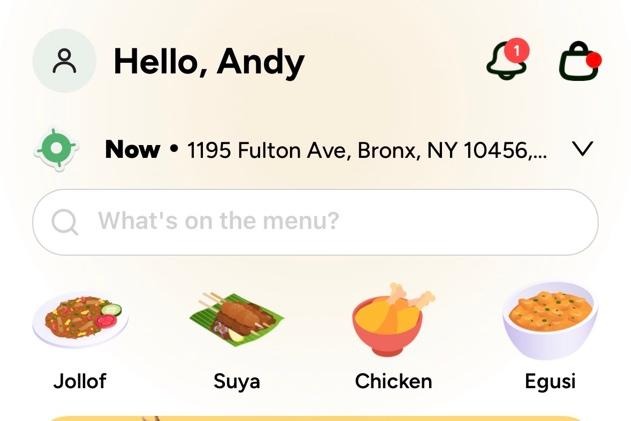
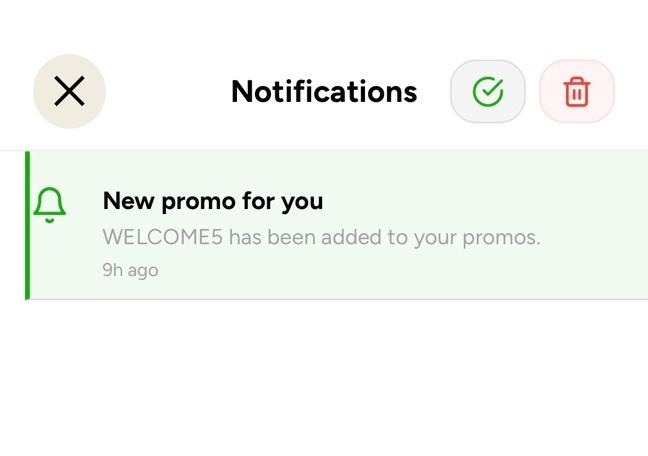
You can also find promo codes in your Dishout emails. Check your inbox or your notifications tab regularly so you never miss one.
Browse the app, choose your restaurant, add your items to the cart, and proceed to checkout as normal. When you reach the Your Cart screen, look for the Promo Code option. It sits right beneath your order list and just above the subtotal.
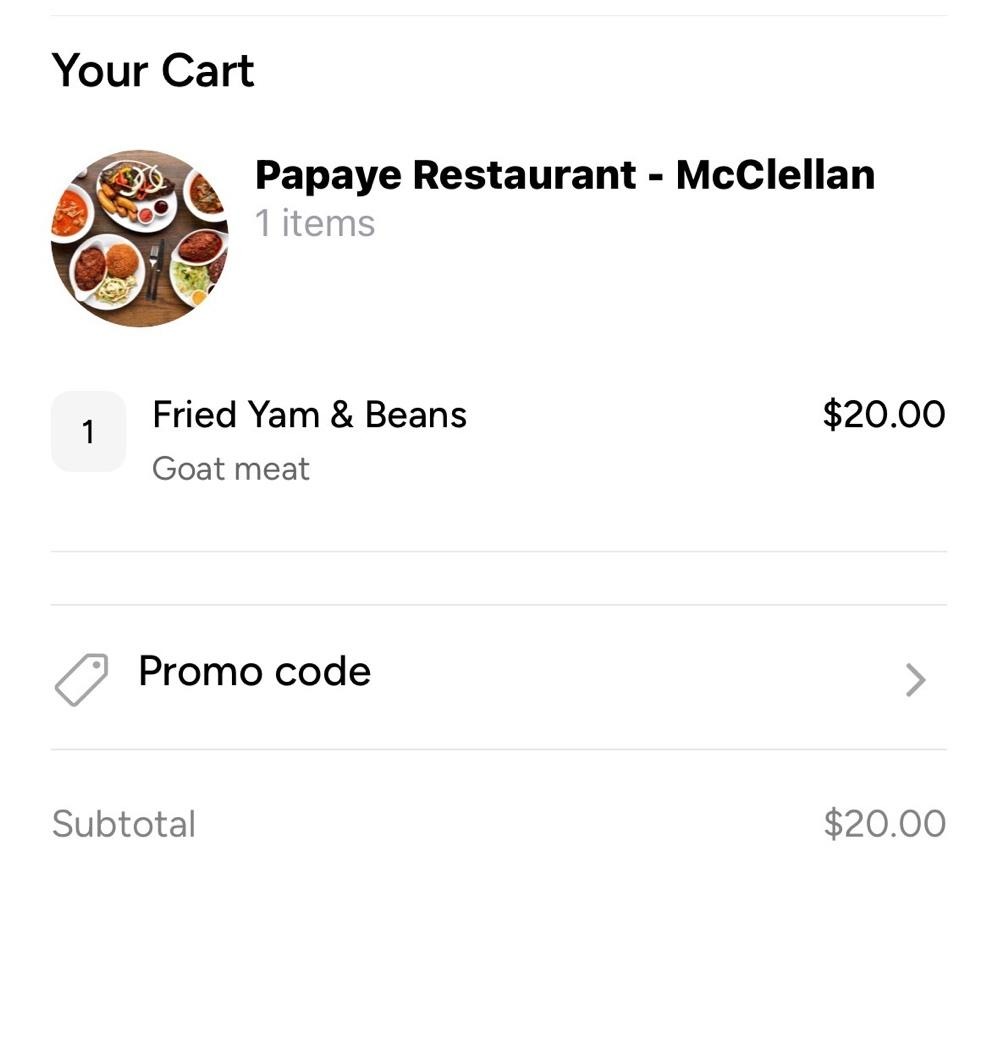
Tap the Promo Code button. A prompt will appear asking you to enter your code. Type in the code exactly as it appears in your notification or email, for example WELCOME5, then tap Apply.
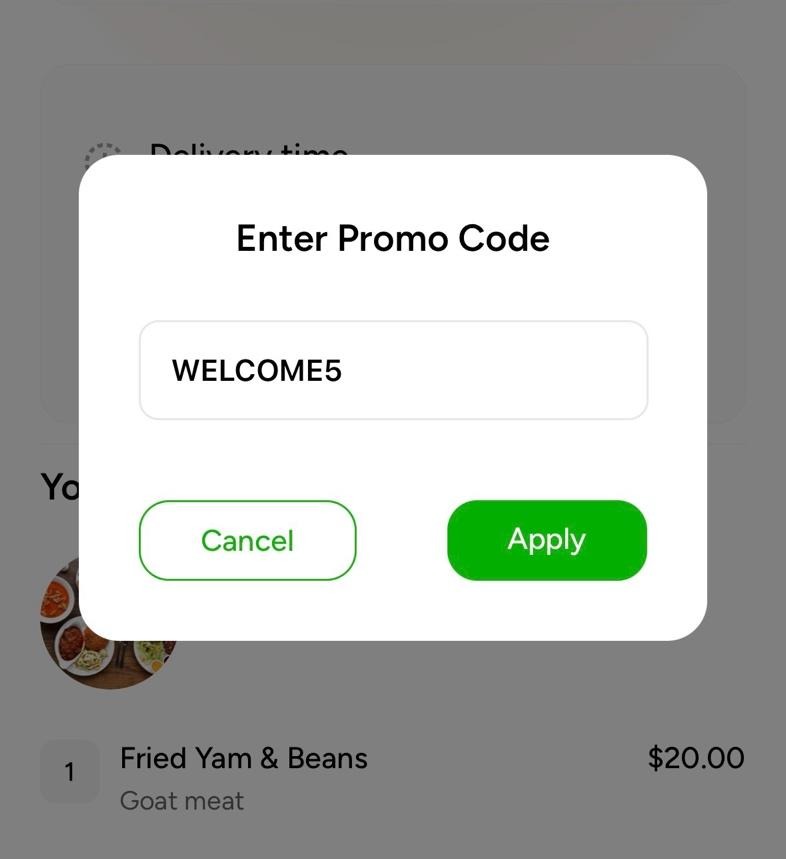
Once applied, you will see a confirmation that the code has been accepted and the discount has been applied to your order.
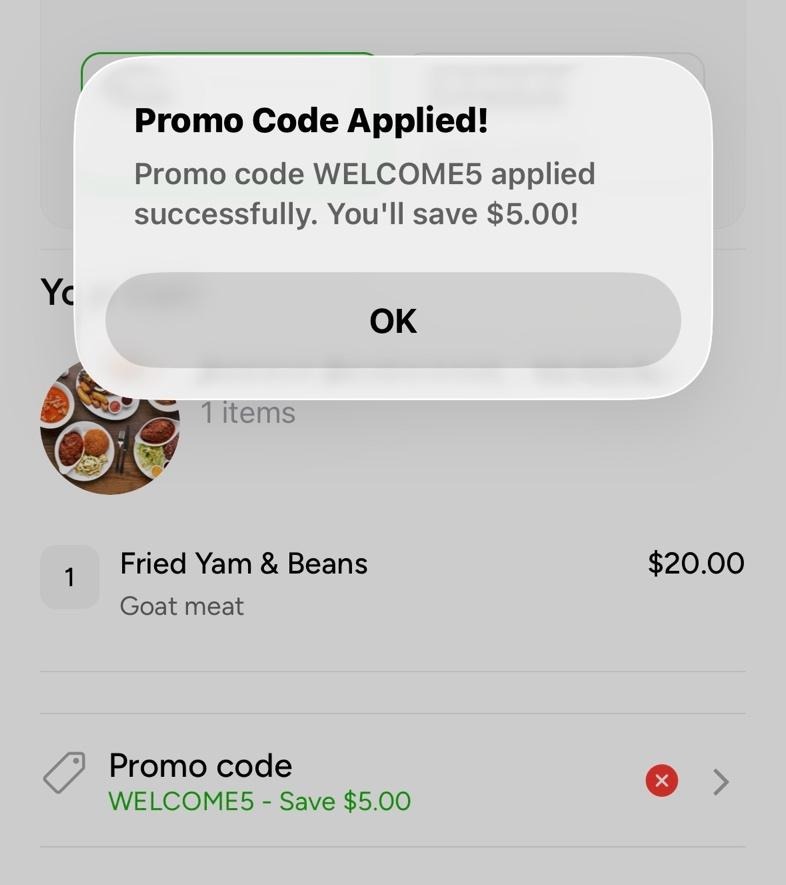
You can now proceed to checkout with the discount applied.
If you are ordering on Dishout for the first time, use promo code WELCOME5 at checkout and save $5 on your first order. No expiry date. Just your welcome gift from us.

Order on Dishout
Frequently Asked Questions
Where do I find my Dishout promo codes?
Promo codes are sent directly to your Dishout app notifications and by email. Tap the bell icon at the top right of your home screen to check your in-app notifications. If you are not receiving any promo codes, subscribe to the Dishout newsletter to make sure you are not missing out.
How do I apply a promo code on Dishout?
Add your items to the cart and proceed to checkout. On the Your Cart screen, tap the Promo Code button beneath your order list. Enter your code and tap Apply. The discount will be applied immediately and confirmed on screen.
Is WELCOME5 still active?
Yes. WELCOME5 is active for all first-time Dishout customers with no expiry date. Use it at checkout on your first order to save $5.
What if my promo code is not working?
Make sure the code is entered exactly as it appears in your notification or email, in capitals with no spaces. If the issue continues, reach out to our customer care team at (917) 957-5454 or order@africandishout.com and we will sort it out.

Because home should be just one tap away