Dishout points are credits that accumulate on your account in two ways. Every order you place earns you automatic cashback in points. You may also receive points from refunds that are returned to your Dishout account instead of going back to your card.
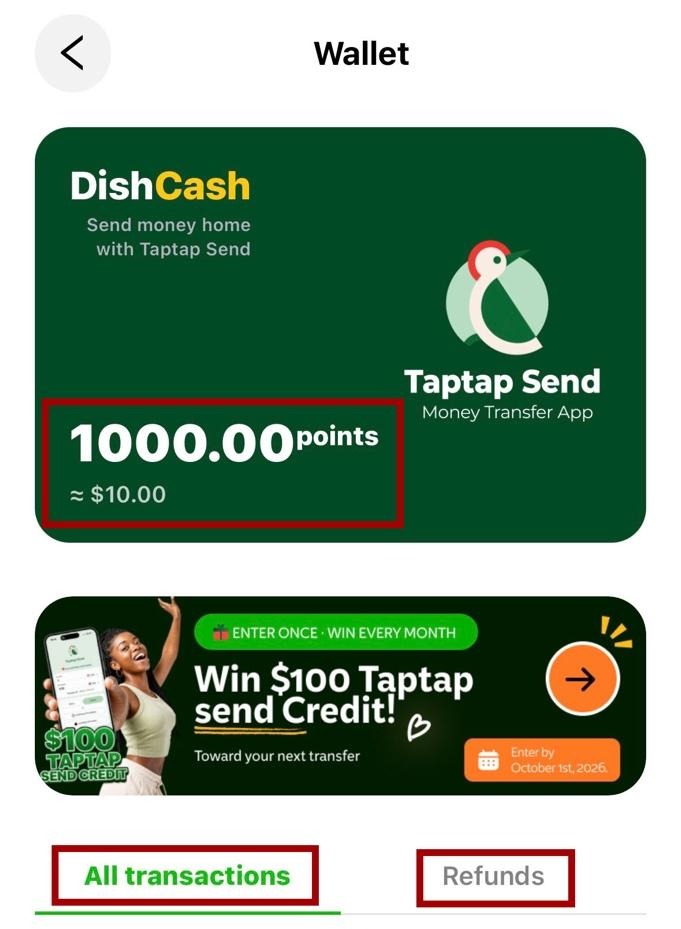
Every 100 points equals $1. So if you have 1,000 points sitting in your account, that is $10 available to use toward your next order. Your points balance lives in your DishCash wallet, Dishout’s in-app wallet, and is always visible when you check it.
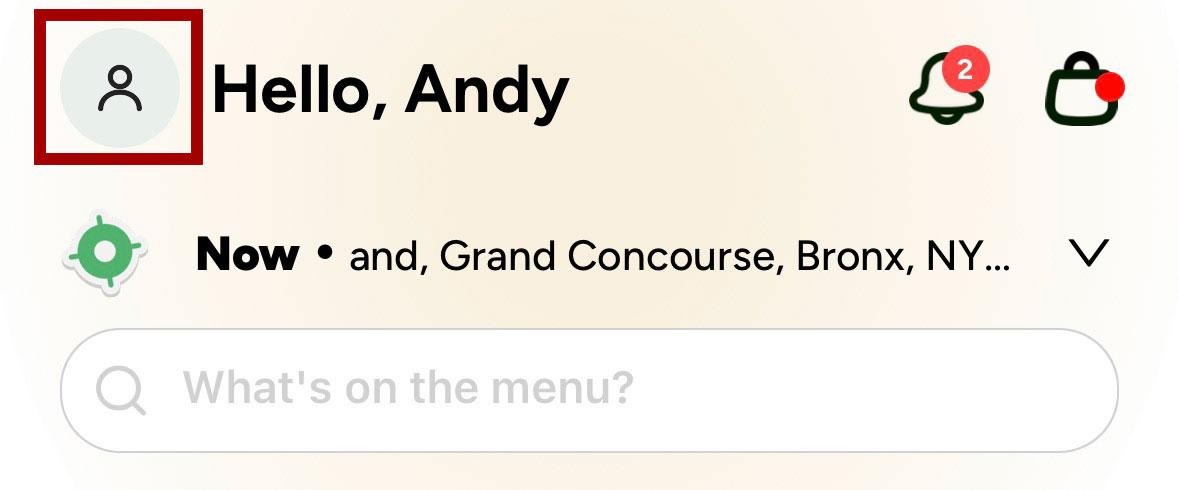
Open the Dishout app and tap the profile icon at the top left of your home screen, next to your name.
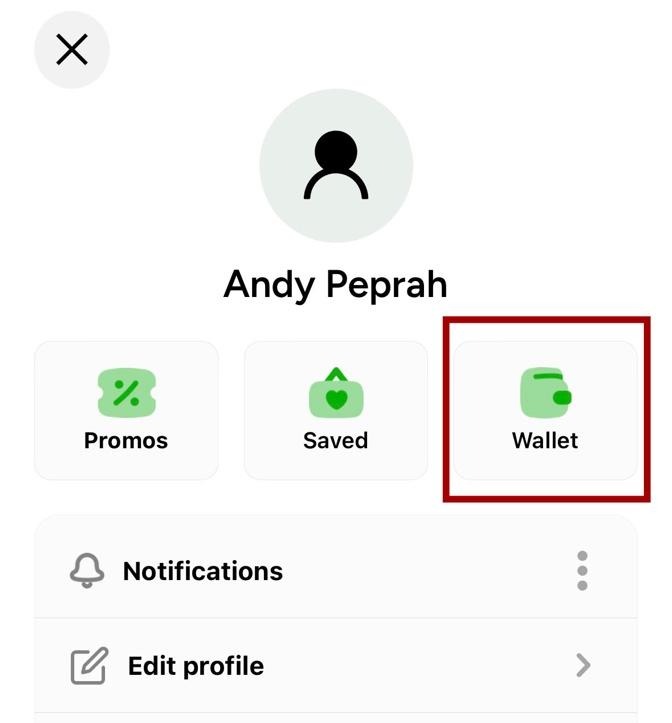
Your profile page will open. Tap the Wallet icon to go to your DishCash wallet.
Your DishCash wallet shows your current points balance and its dollar equivalent. You can also see a full breakdown of all your transactions and your refund history from this page.
Add your items to the cart and proceed to checkout as normal. Scroll to the bottom of the checkout screen and look for the Payment Method section. If you have points in your DishCash wallet, you will see a Pay with Dishcard option showing your available balance.
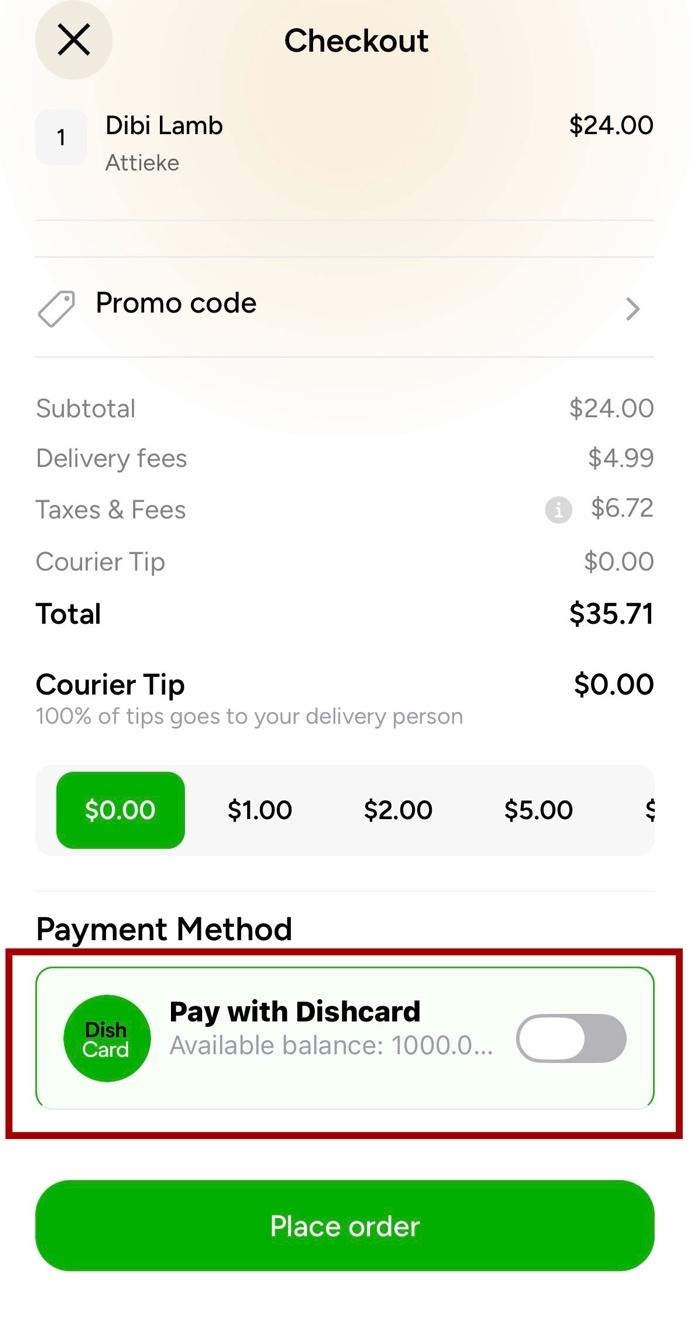
Toggle the Pay with Dishcard button on. Your Dishcard balance will be automatically applied to your order and the amount will be deducted from your total.
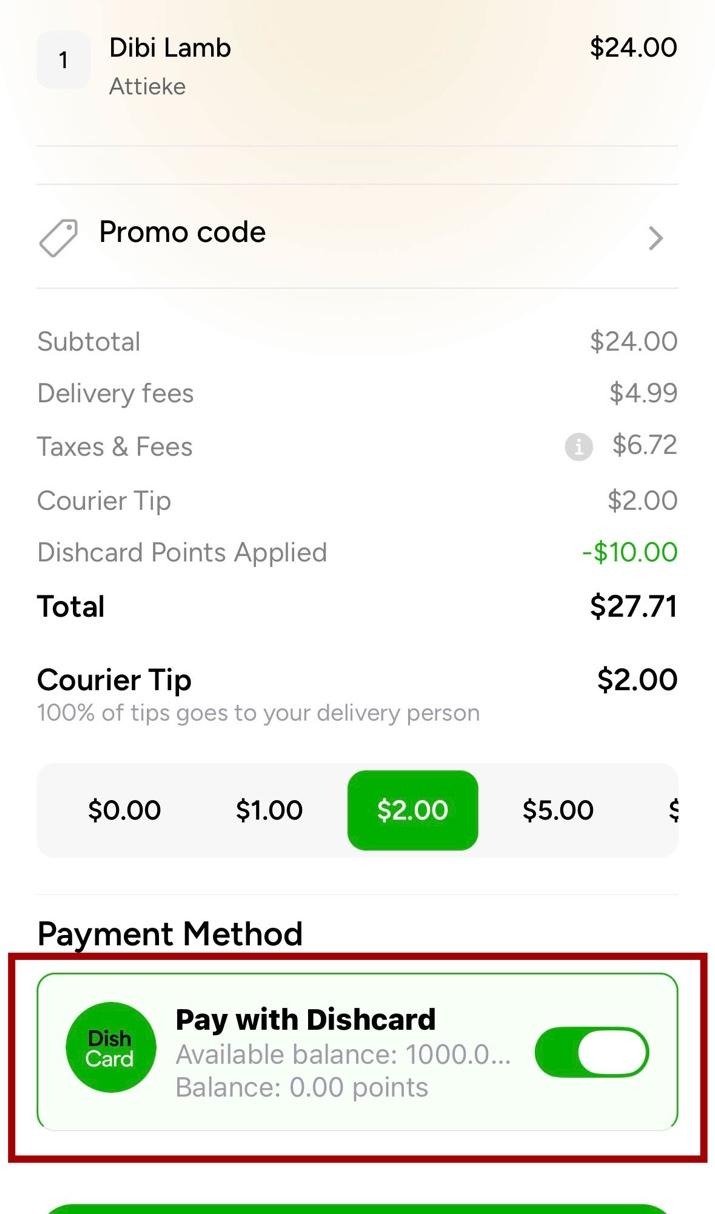
If your Dishcard balance covers the full order amount, your order will be placed without any charge to your external payment method. If the balance does not cover the full amount, the remainder will be charged to your card, PayPal, Google Pay, or Apple Pay as usual.
If you have any questions about your points or your Dishcard balance, reach out to our customer support team at (917) 957-5454 or order@africandishout.com.

Frequently Asked Questions
What are Dishout points?
Dishout points are credits that accumulate on your account automatically with every order you place, and from any refunds returned to your Dishout account. Every 100 points equals $1. Your points balance is stored in your DishCash wallet inside the app.
Where do I find my Dishout points balance?
Tap the profile icon at the top left of your home screen, then tap the Wallet icon on your profile page. Your DishCash wallet shows your current points balance, its dollar equivalent, and a full transaction history.
How do I use my Dishout points?
Add your items to cart and proceed to checkout. Scroll to the Payment Method section and toggle on the Pay with Dishcard option. Your Dishcard balance will be automatically applied to your order total.
What if my points do not cover the full order?
If your Dishcard balance is less than your order total, the remaining amount will be charged to your external payment method, whether that is a card, PayPal, Google Pay, or Apple Pay.
Do my points expire?
If you have questions about points expiry or any other account details, contact our customer care team at (917) 957-5454 or order@africandishout.com.

Because home should be just one tap away